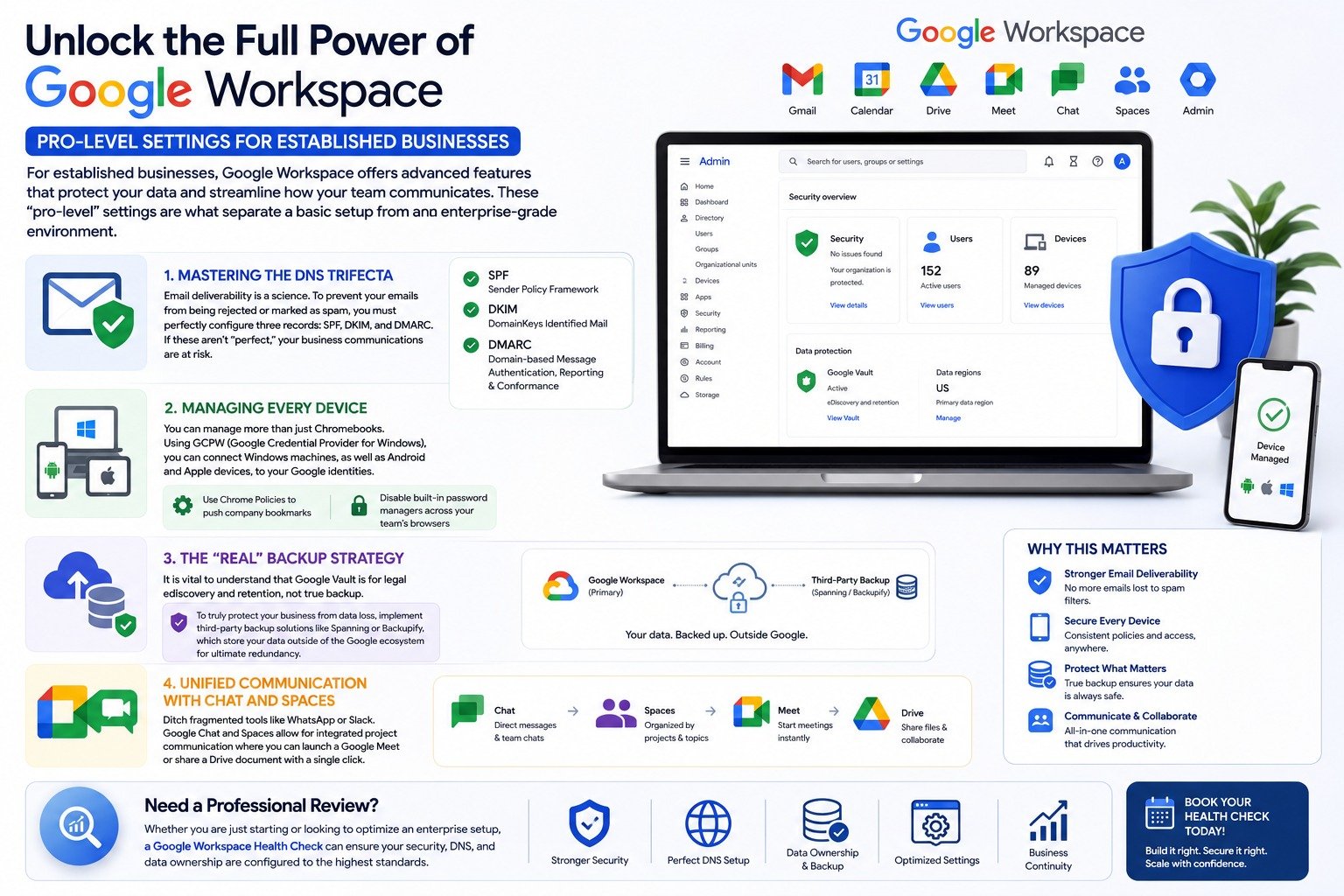
For established businesses, Google Workspace offers advanced features that protect your data and streamline how your team communicates. These “pro-level” settings are what separate a basic setup from an enterprise-grade environment.
Mastering the DNS Trifecta Email deliverability is a science. To prevent your emails from being rejected or marked as spam, you must perfectly configure three records: SPF, DKIM, and DMARC. If these aren’t “perfect,” your business communications are at risk.
Managing Every Device You can manage more than just Chromebooks. Using GCPW (Google Credential Provider for Windows), you can connect Windows machines, as well as Android and Apple devices, to your Google identities. Furthermore, you can use Chrome Policies to push company bookmarks or disable built-in password managers across your team’s browsers, regardless of what computer they are using.
The “Real” Backup Strategy It is vital to understand that Google Vault is for legal eDiscovery and retention, not true backup. To truly protect your business from data loss, you should implement third-party backup solutions like Spanning or Backupify, which store your data outside of the Google ecosystem for ultimate redundancy.
Unified Communication with Chat and Spaces Ditch fragmented tools like WhatsApp or Slack. Google Chat and Spaces allow for integrated project communication where you can launch a Google Meet or share a Drive document with a single click.
Need a Professional Review?
Whether you are just starting or looking to optimize an enterprise setup, a Google Workspace Health Check can ensure your security, DNS, and data ownership are configured to the highest standards.
Whether you are just starting or looking to optimize an enterprise setup, a Google Workspace Health Check can ensure your security, DNS, and data ownership are configured to the highest standards.